New · The FinOps Agent
Your AI spend is the fastest-growing line on the bill, and the hardest to see. One launch scans your estate — Azure OpenAI, AI Foundry, Bedrock and Vertex alongside compute, storage and commitments — prices every finding from your real bill, then hands you an AI analyst that knows your numbers. Grounded in your data, so it never invents a saving.
Works with Microsoft Azure Amazon Web Services Google Cloud
You run the agent in your own environment. We never get access to your cloud — only the questions you ask the analyst ever leave your machine.
Pick a plan below and check out, then download the agent from your account. The only thing you connect on this site is your subscription — never your cloud. We get no access to your environment.
Double-click FinOpsAgent.cmd on your own machine. This is where your cloud connects — read-only, locally, by you (az login / AWS / gcloud). Nothing is deployed into your cloud; your credentials never leave your machine. It scans and prices every finding from your real billed cost.
A few minutes later your dashboard opens with the AI analyst live: ask what to prioritise, explain any finding, or draft the remediation plan — grounded only in your real, priced findings. No file to open, upload or manage.
Two connections, one on each side. On this site you connect your subscription. On your own machine, the agent connects — read-only — to your cloud. Your bill and credentials stay with you; only the aggregated findings you ask about are ever sent, and only to power the analyst's answer.
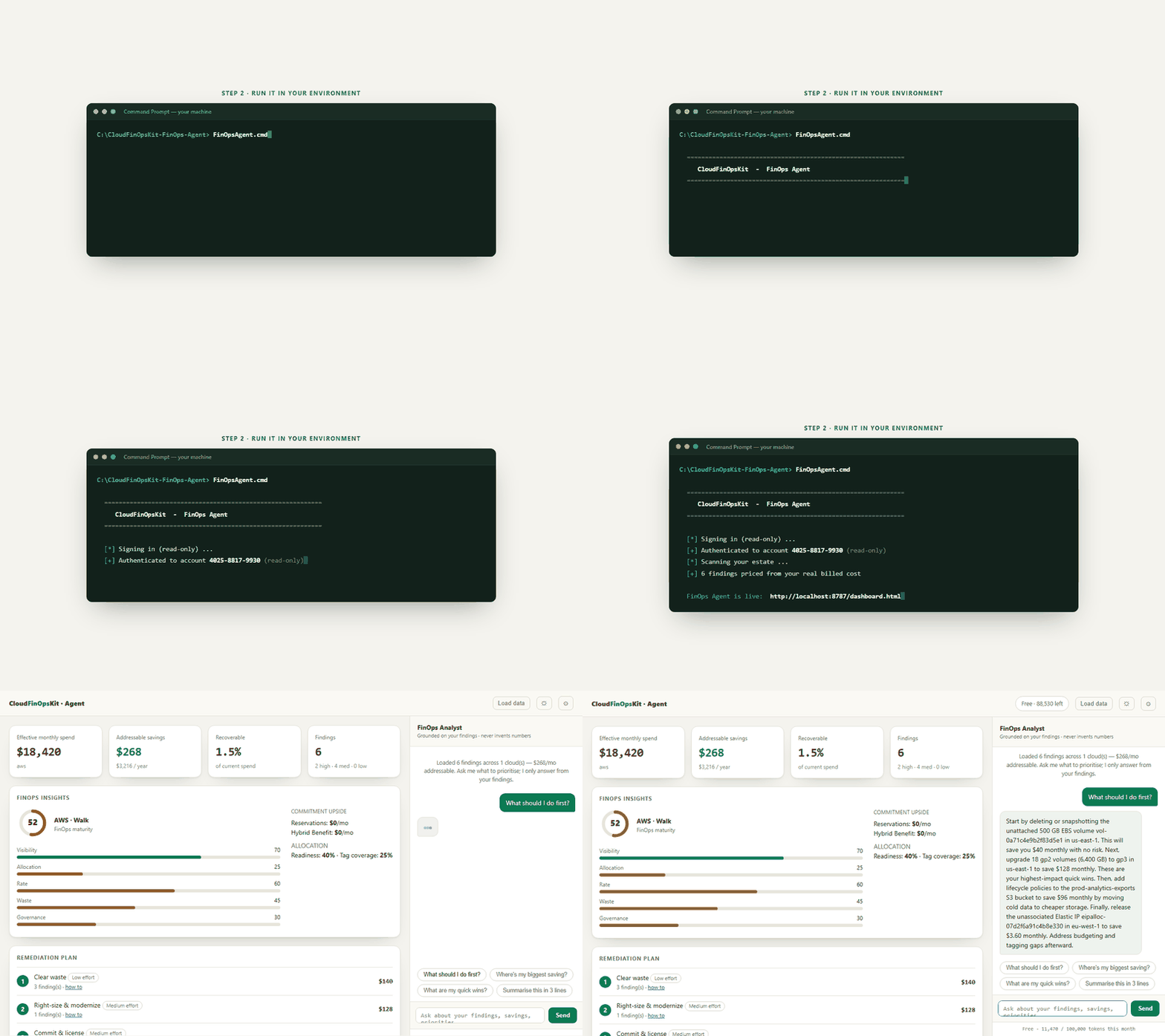
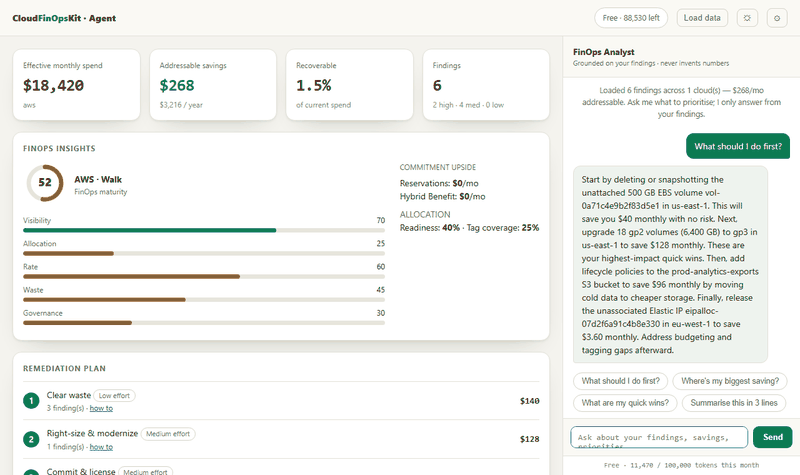
Not a chatbot bolted onto a docs page — it reasons over the findings your scan just produced.
Answers only from your findings and always cites them. If it isn't in your data, it says so — it never fabricates a saving or a number.
Click a finding: why it's flagged, exactly how to fix it, the risk and effort, and the framework reference.
One click turns the findings into a payback-ordered playbook — quick wins first, strategic levers next, with the savings per step.
Azure, AWS and GCP unified — one spend total, one maturity view, one prioritised list across every cloud you run.
A 0–100 Crawl / Walk / Run score across visibility, allocation, rate, waste and governance — tracked month over month.
Read-only, on your machine, with your existing access. The deterministic engine is the source of truth; the AI only interprets it.
The engine runs locally with your read-only access, so your credentials and live cloud data stay in your environment. Only the aggregated findings you actually ask the analyst about are sent for reasoning — with a clear per-plan limit. Want zero transit? Bring your own model key and nothing leaves at all.
A subscription includes the analyst's usage — metered, so it just works. Cancel anytime; keep what you've downloaded.
The FinOps Agent
For teams running the monthly cost review.
The Agent, white-label
MSPs & consultancies running client cost reviews.
Just the scan
A one-off audit or a single project.
$40+ one-time
Secure on-site checkout via Paddle · Cancel whenever; you keep what you've downloaded.
No. The agent runs inside your own environment using your existing read-only cloud access. There's nothing to deploy in your cloud and no account to connect to us. You launch it, it scans locally, and the analyst opens in your browser.
Your credentials and live cloud data never leave. Only the aggregated findings you actually ask the analyst about are sent for reasoning — not raw resource data, never credentials. Prefer zero transit? Use the bring-your-own-key option and nothing leaves at all.
The assessment engines cover Azure, AWS and GCP. The agent experience is live for Azure today, with AWS and GCP rolling into the unified multi-cloud view — included in your subscription as they ship.
No — and that's the point. Every number comes from a deterministic engine that measures your real bill. The AI only interprets and prioritises those findings, and always cites them. If something isn't in your data, it tells you rather than guessing.
Your subscription includes the analyst's usage — it's metered behind the scenes with a generous per-plan limit, so there's no key to manage and no surprise bill. Agency plans add higher limits and bring-your-own-key.
Just launch it — the tool checks for and installs the small free prerequisites (PowerShell 7, the cloud CLI) if they're missing. No infrastructure, no agents in your cloud, no recurring cloud cost.
You can still buy the one-time assessment tool from $40 — it produces the same report. The subscription adds the always-on AI analyst, the multi-cloud dashboard, and the latest checks. Browse one-time options →
One launch, and your cloud's savings — explained, prioritised and costed.
Get the FinOps Agent